Taken from https://greenrobot.org/eventbus/
EventBus: Events for Android
EventBus is an open-source library for Android and Java using the publisher/subscriber pattern for loose coupling. EventBus enables central communication to decoupled classes with just a few lines of code – simplifying the code, removing dependencies, and speeding up app development.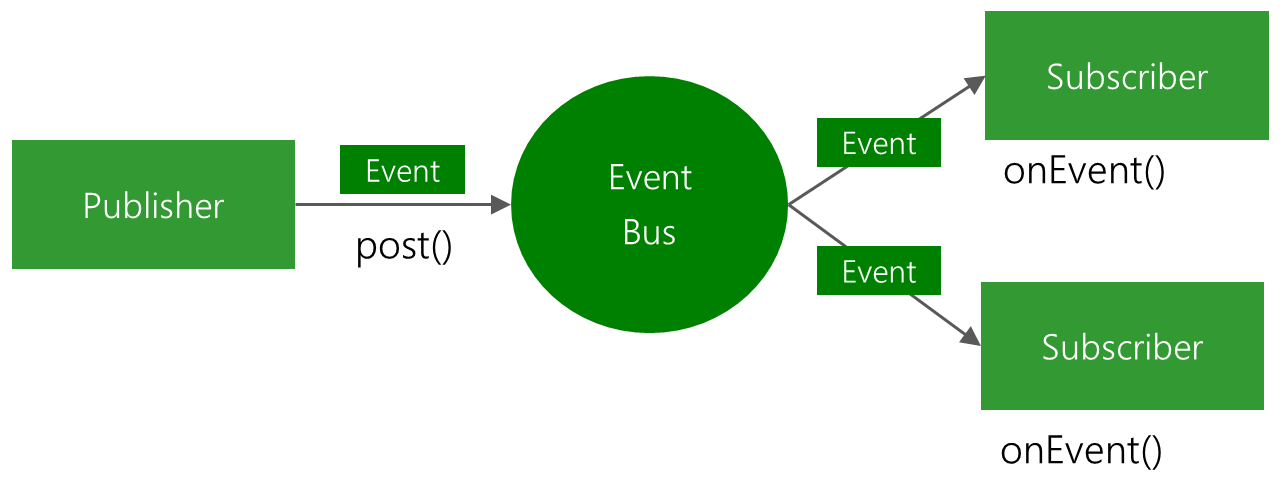
Your benefits using EventBus: It…
- simplifies the communication between components
- decouples event senders and receivers
- performs well with UI artifacts (e.g. Activities, Fragments) and background threads
- avoids complex and error-prone dependencies and life cycle issues
- is fast; specifically optimized for high performance
- is tiny (~60k jar)
- is proven in practice by apps with 1,000,000,000+ installs
- has advanced features like delivery threads, subscriber priorities, etc.
Further EventBus Features
- Convenient Annotation based API: Convenient Annotation based API: Simply put the @Subscribe annotation to your subscriber methods. Because of a build time indexing of annotations, EventBus does not need to do annotation reflection during your app’s run time.
- Android main thread delivery: When interacting with the UI, EventBus can deliver events in the main thread regardless how an event was posted.
- Background thread delivery: If your subscriber does long running tasks, EventBus can also use background threads to avoid UI blocking.
- Event & Subscriber inheritance: In EventBus, the object oriented paradigm apply to event and subscriber classes. Let’s say event class A is the superclass of B. Posted events of type B will also be posted to subscribers interested in A. Similarly the inheritance of subscriber classes are considered.
- Jump start:You can get started immediately – without the need to configure anything – using a default EventBus instance available from anywhere in your code.
- Configurable: To tweak EventBus to your requirements, you can adjust its behavior using the builder pattern.
How to get started with EventBus in 3 steps
Contents [hide]
The EventBus API is as easy as 1-2-3.
Before we get started make sure to add EventBus as a dependency to your project.
Step 1: Define events
Events are POJO (plain old Java object) without any specific requirements.
Step 2: Prepare subscribers
Subscribers implement event handling methods (also called “subscriber methods”) that will be called when an event is posted. These are defined with the @Subscribe annotation.
Note that with EventBus 3 the method name can be chosen freely (no naming conventions like in EventBus 2).
Subscribers also need to register themselves to and unregister from the bus. Only while subscribers are registered, they will receive events. In Android, in activities and fragments you should usually register according to their life cycle. For most cases onStart/onStop works fine:
Step 3: Post events
Post an event from any part of your code. All currently registered subscribers matching the event type will receive it.


Comments
Post a Comment